Quick answer: When a GS1-128 barcode cannot be scanned—or it scans but your warehouse management system (WMS) rejects the data—separate two questions. Did the reader decode the printed symbol? And did the application interpret the resulting GS1 data structure correctly? A printer may produce clear bars while the barcode encodes the wrong fields. Conversely, a correctly encoded GS1-128 symbol may fail because of faded thermal stock, missing clear margins, unsupported scanner settings, or host-interface problems.
GS1-128 uses the Code 128 symbology with additional GS1 data conventions. It can encode multiple pieces of information, such as a product identifier, batch or lot, and a date, in one symbol using Application Identifiers (AIs). That is not equivalent to typing a string of digits into a generic Code 128 generator. Before changing a production label, consult the applicable GS1 barcode standards, your software’s specification, and any carrier or retailer-specific requirements.
Start with this diagnosis table
| Observed result | What may be wrong | First comparison |
|---|---|---|
| Scanner gives no successful-decode indication | Physical barcode, disabled format, scan distance or optics | Test a known-good supported GS1-128 symbol |
| Scanner reads ordinary Code 128 but rejects this label | GS1-128 printing, symbol structure, density or scanner configuration | Compare official sample and original label |
| Reader decodes, but WMS says “invalid barcode” | Data structure, wrong AIs, expected identifier or application mapping | Examine actual payload using an approved diagnostic tool |
| Batch and serial fields appear merged | Missing separator or incorrect variable-length field handling | Review the AI sequence and decoded group separator |
| Barcode appears in Notepad but not in warehouse software | Host interface, focus or managed scanner input path | Check application-supported input mode |
| Only the bottom row of printed labels fails | Page scaling, sheet alignment or print quality | Measure physical dimensions and label pitch |
1. Code 128 and GS1-128 are related, but not identical
Code 128 is the underlying linear barcode encoding system. It can represent many alphanumeric strings and control codes. GS1-128 uses that physical barcode format together with GS1’s defined way of structuring data. Merely putting the text (01)123... below an ordinary barcode does not make the encoded symbol GS1-compliant.
GS1-128 requires the appropriate start-of-data identification, typically signaled by an FNC1 character immediately after the start. Additional separator rules may apply when variable-length fields are followed by other data. If you print arbitrary Code 128 text, a barcode reader may still decode it, yet a GS1-aware application may correctly reject the result because it is not the expected structure.
Our Code 128 physical scanning guide covers bar width, quiet zones and optical quality. This article focuses on the extra GS1 data and workflow layer.
2. Understand what Application Identifiers mean
A GS1 Application Identifier is a defined numeric prefix indicating what type of information follows. For example, AI (01) identifies a GTIN field, AI (10) identifies batch or lot information, and AI (17) identifies an expiration date in a prescribed format. They do not all use the same data length or parsing rules.
In human-readable text, AI numbers are conventionally shown inside parentheses. Those parentheses serve to make the meaning clearer to people: the actual encoded data uses the AI digits and GS1-defined special characters, not simply the printed punctuation you see under the barcode. If a custom generator literally encodes unwanted punctuation in the data string, the scanner’s decoded output may differ from what the receiving software expects.
Use an official GS1-compliant encoder or a properly configured supported label application for the real data. Do not rebuild carrier or retailer barcodes by hand.
3. Why FNC1 matters
The FNC1 symbol character distinguishes GS1-128 usage within Code 128, allowing GS1-aware processing to recognize the data structure. FNC1 is not generally something you can enter by typing the five letters FNC1 into a barcode text box. Barcode-generation software must create the appropriate symbol control character.
Different generators expose GS1 data entry through different interfaces. Some accept AI-labeled fields and automatically insert required special characters; others require explicit configuration. Before using an application for production, verify its documentation and perform appropriate quality checks with the receiving system. A random free Code 128 font or character generator is not sufficient evidence of proper GS1-128 encoding.
4. Variable-length data needs correct separators
Some AIs specify fixed-length data; others allow variable-length values. When a variable-length AI field is followed by another field, a separator may be needed so the decoder knows where one value ends and the next begins. In GS1-128, this separation is represented using the appropriate FNC1 separator within the symbol; many scanner interfaces can expose the resulting field boundary as an ASCII Group Separator control character (decimal 29 / hexadecimal 1D), depending on their configuration.
If that character is missing, stripped, misinterpreted, or replaced by an ordinary printable symbol, the WMS may join values together. For example, an application expecting a batch and a following field may see one long string. It is important to compare the actual decoded control characters using approved diagnostic software: an ordinary text editor may not visibly display the separator, so a blank-looking join does not by itself prove the barcode omitted it.
5. Check your scanner’s GS1-128 interpretation settings
Some enterprise scanner families allow configuration of GS1-128 symbology, AIM identifiers, data formatting and output rules. A scanner might read the Code 128 bars correctly but transmit data in a form that differs from the WMS’s expected input. Do not assume every reader outputs an identical prefix or renders group separators the same way.
If your receiving system expects an AIM symbology identifier, verify whether the scanner sends it under the documented configuration. For example, ]C1 is commonly associated with a GS1-128 identifier in applicable AIM usage, but whether it appears in your transmitted data depends on the scanner and its settings. Never hardcode that literal sequence into every value unless your integration’s documented contract requires it.
Use the exact manufacturer programming reference for your model. For connected Zebra equipment, see our DS2208 host-mode guide and LS2208 1D reader guide. Configuration barcodes from different scanner families should not be treated as interchangeable.
6. An ordinary text-editor test is useful but limited
When a compatible reader is in USB HID keyboard mode, typing a known, harmless test code into a plain text editor can confirm that decoded characters reach the computer. It cannot by itself validate GS1 field parsing because control characters may be invisible, remapped or intercepted by the operating system.
For field-level diagnosis, use an approved barcode test application or WMS diagnostic interface that can show the raw bytes or parsed AIs safely. For serial/COM or vendor-managed scanner modes, ordinary keyboard output may not be expected at all. Our scanner beeps but doesn’t type guide explains the host connection distinction.
7. Why a scanner beeps but your WMS still rejects the label
A decode beep confirms only a scanner-side event. Your application might require a specific GTIN, serial, batch, date or handling identifier; it may also require the symbol to use a particular data carrier under your warehouse’s GS1 implementation. A structurally valid barcode can be unrelated to the item currently being received.
Verify the expected business identifier separately from the physical barcode. Compare a known-good label issued for the same workflow, the decoded AI fields, and the product record. Do not remove or modify required identifiers to force acceptance.
8. Check the physical thermal print before changing data rules
GS1-128 depends on Code 128 bar-and-space geometry. Narrow bars printed on the wrong stock, low-resolution raster images, and scaling from Letter to 4 × 6 can compromise readability. An over-dark thermal print may merge neighboring bars; a faded print may break them.
Compare the original source document with the physical sticker. For a compatible native 4 × 6 shipping PDF, 101.6 × 152.4 mm is the physical page size; that does not mean every GS1-128 barcode itself should fill the entire page. Use 203 vs 300 DPI guidance and thermal barcode blur troubleshooting to isolate printing faults.
9. Keep the quiet zone unobstructed
GS1-128 requires appropriate clear margins around the barcode. A sticker cut too close to the first or last bars, a label placed over a package seam, or a fold that distorts the pattern can prevent reliable decoding even when the payload is correct. The exact dimensional rules should be taken from the applicable GS1 specification and application requirements, not a universal margin guessed from a screenshot.
If some labels scan and others do not, inspect whether the failed ones are clipped or printed at a different scale. See barcode quiet zones cut off for the physical diagnostic sequence.
10. Data type mistakes can happen after a successful scan
GS1 data can include numeric identifiers with leading zeros, dates encoded in defined formats and variable-length alphanumeric values. If an application routes the decoded string into Excel or a spreadsheet export, automatic number conversion can remove leading zeros or damage long numeric identifiers.
Keep identifiers as text in storage and preserve control-character boundaries according to the application. Our Excel barcode data guide explains why a correctly decoded value can still be corrupted after scanning.
11. Distinguish GS1-128 from GS1 DataMatrix and ordinary QR codes
GS1-128 is a linear barcode. GS1 DataMatrix is a different, two-dimensional barcode that can represent GS1 information through a different symbology and identification pattern. An ordinary QR code is not automatically a GS1 identification carrier simply because it contains similar text.
Choose a scanner that supports the barcode type actually used in your workflow. A 1D-only reader cannot decode DataMatrix, while some 2D imagers support both linear and 2D codes depending on configuration. Our 1D versus 2D code comparison provides a hardware-oriented starting point.
12. Example: lot and date values appear joined
A warehouse scans a GS1-128 label that is expected to carry both batch and another data field. The WMS shows one combined value instead of separate properties. Rather than lengthening the label or increasing darkness, the operator checks whether the generator used an appropriate variable-length field separator, whether the scanner transmitted it, and whether the receiving software parses the field boundary. The diagnosis is about structured data, not necessarily optical reading.
13. Example: the scanner reads another Code 128 label but not this GS1 label
The reader consistently decodes a clean internal Code 128 asset tag but fails a densely printed GS1-128 product sticker. The operator tests an approved GS1-128 sample and checks physical size, bar contrast and quiet margins on the failing stock. If both scanner configuration and known-good GS1 decoding work, the investigation moves toward the print or source artwork.
14. Example: valid barcode, wrong SKU in WMS
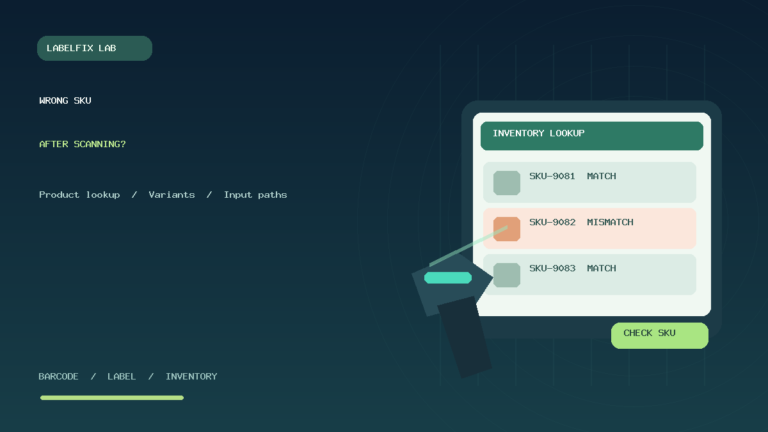
A GS1-128 symbol decodes correctly and its AI fields are parsed, but the WMS selects the wrong product or reports no match. That is evidence for checking item master data, GTIN-to-SKU mapping, variant or packaging level, and current receiving rules. Do not alter a legitimate GTIN simply because the local SKU differs. See barcode scanner finds the wrong SKU for the related application-level diagnosis.
Production-safe troubleshooting checklist
- Identify whether the symbol is Code 128, GS1-128 or a 2D GS1 carrier.
- Compare with a known-good, authorized reference sample using the exact reader.
- Confirm FNC1 identification and the expected GS1 Application Identifiers.
- Inspect separators between relevant variable-length fields with an appropriate diagnostic.
- Verify scanner symbology, optional identifiers and host output mode.
- Check the physical barcode’s bar geometry, contrast and quiet zones.
- Match decoded identifiers against the WMS’s correct item and packaging records.
- Preserve the original authorized label and avoid guessing any encoded data.
Frequently asked questions
What is the difference between Code 128 and GS1-128?
GS1-128 uses the Code 128 barcode symbology under GS1 data-structuring rules, including FNC1 identification and defined Application Identifiers. A plain Code 128 barcode does not automatically follow these rules.
Why does my GS1-128 barcode scan but show no lot or expiration date?
Check whether the label actually encodes the required AIs, whether variable-length field separators are preserved, and whether the WMS is configured to parse those fields. The printer may not be the problem.
What does FNC1 mean in GS1-128?
FNC1 is a special barcode character used in GS1-128 identification and, when required, field separation. It is not the same as simply typing the literal letters FNC1 into the encoded data.
What is ASCII 29 in barcode scanning?
ASCII decimal 29, the Group Separator control character, is one way scanner interfaces can convey relevant field boundaries in decoded GS1 data. It may be invisible in basic text editors.
Can a standard handheld reader scan GS1-128?
Many compatible 1D and 2D readers can, but support, enabled decoders and output format must be confirmed for the actual model and software integration.
Does a successful beep prove the label is GS1-compliant?
No. It may indicate the scanner decoded bars, but it does not establish correct AI structure, standards conformance or acceptance by a particular receiving system.
Related LabelFix Lab guides
- Code 128 optical and thermal printing problems
- Wrong SKU or product returned after scanning
- Quiet zones cut off
- Zebra DS2208 scanner troubleshooting
- Excel leading zeros and scanned data
- 1D vs 2D barcode types
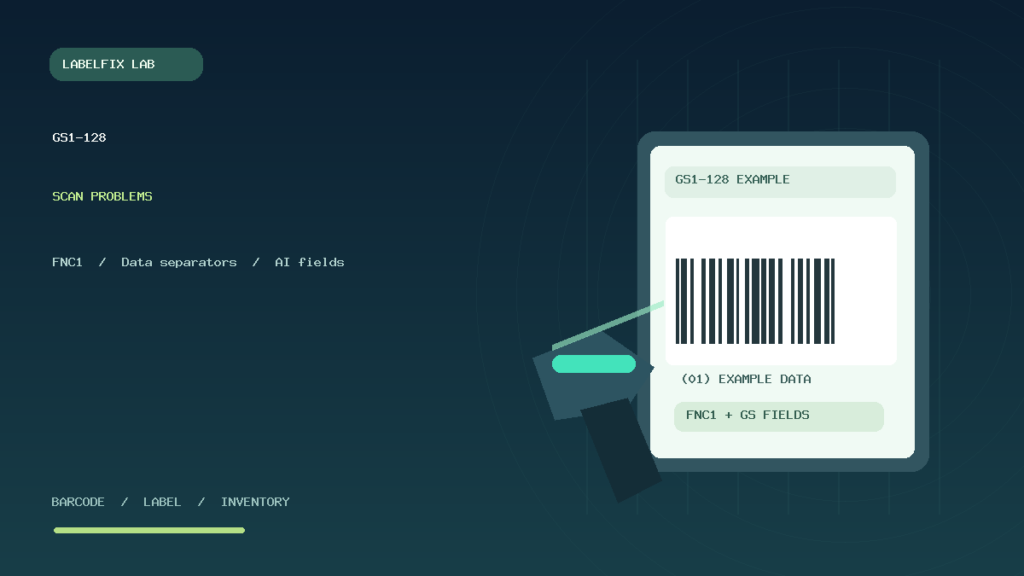
Editorial limitations: This is technical troubleshooting, not a formal ISO/IEC barcode verification report or certification of GS1 conformance. The featured illustration is original artwork showing a fictional symbol, not a real scannable standard-conforming test label. Current standards and application-specific requirements should be checked with GS1 and the responsible logistics provider.
Independent general troubleshooting information for shipping labels and thermal printers. Model-specific button sequences, cleaning supplies and service instructions can differ; consult your manufacturer's official documentation. Never alter a carrier-generated barcode.