Quick answer: If a GS1 DataMatrix symbol on a product label does not scan, scans into unexpected text, or scans successfully but is rejected by a warehouse, healthcare or inventory application, determine whether the failure occurs in image capture, GS1 data encoding or application parsing. A 2D imager may decode the square symbol perfectly while an inventory system still rejects it because FNC1 or an Application Identifier (AI) separator was not represented correctly. Conversely, a valid data string cannot be decoded reliably from missing symbol modules or inadequate contrast.
GS1 DataMatrix is not simply any black-and-white square and is not interchangeable with QR Code. This independent article explains diagnostic principles and harmless sample data; it is not a compliance certification, verified barcode-quality grading or a substitute for the applicable GS1 barcode standards. Requirements and application rules vary by industry and jurisdiction; use the current official standard and trading-partner specification for production.
GS1 DataMatrix troubleshooting map
| Symptom | Likely layer | First useful evidence |
|---|---|---|
| Scanner cannot read the square at all | 2D scanner capability, image quality, lighting or symbol damage | Check the supported symbology and a verified test symbol |
| Scanner beeps but software rejects the product | GS1 parsing, wrong field values or product mapping | Capture decoded data without application filtering |
| AI values run together after a lot/batch field | Variable-length separator handling | Inspect FNC1 or group-separator handling |
| App expects ]d2 but scanner returns plain digits | AIM identifier or scanner-output configuration | Check supported symbology identifier transmission |
| Text in parentheses is encoded literally | Incorrect GS1 encoding workflow | Compare HRI notation with actual encoded data |
| Scanner reads other 2D symbols but not this one | GS1 DataMatrix settings, size, contrast or encoding | Compare known-valid symbol under same conditions |
| Symbol works on screen but not on the printed label | Print resolution, rasterization, material and quiet zone | Compare print dimensions and module quality |
1. Recognize Data Matrix, GS1 DataMatrix and QR codes
Data Matrix is a two-dimensional barcode symbology with a characteristic finder pattern: a solid L-shaped border with alternating timing patterns along the opposite sides. GS1 DataMatrix uses a standardized GS1 encoding convention within a Data Matrix symbol, including GS1-specific signaling and structured Application Identifiers. A generic Data Matrix containing plain product text does not automatically become GS1-compliant.
A QR Code looks different and uses prominent square finder patterns in corners. A scanning application that supports QR Codes is not guaranteed to have GS1 DataMatrix enabled or be configured to deliver its structured fields. Our 1D versus 2D barcode guide explains broader hardware differences.
2. Confirm that the scanner has a 2D imager
Many traditional 1D laser scanners are optimized for horizontal linear barcodes such as Code 128 and EAN/UPC. They cannot simply be assumed to capture small 2D Data Matrix symbols. Verify the exact scanner model, supported symbologies and settings. A phone camera or 2D area imager may support Data Matrix, but its ordinary consumer app may not interpret GS1 fields for a business workflow.
Use the manufacturer’s approved test procedure to check decoding, not a random configuration barcode found online. If the scanner decodes a verified GS1 DataMatrix but your application does not accept its content, the next task is parsing and product mapping rather than replacing the imager.
3. The first FNC1 differentiates GS1 encoding
GS1 DataMatrix uses an appropriate FNC1 in the first position as part of the standardized GS1 encoding convention. That is not the same as typing the four letters FNC1 into a text field. Barcode-generator software needs to support the actual GS1 mode or equivalent standardized handling.
Check the generator’s official GS1 DataMatrix functionality and the exact source data it encodes. A tool that merely draws a Data Matrix from visible text containing parentheses may create a scannable square but not a properly structured GS1 symbol. Likewise, adding a prefix in a label caption does not change the encoded data.
4. Understand Application Identifiers without guessing
GS1 Application Identifiers specify the meaning and format of the following values. Common examples include (01) for a 14-digit GTIN, (17) for an expiry date represented as YYMMDD, and (10) for a batch or lot value of variable length (subject to the applicable standard). Each field has a defined data format, not merely an arbitrary string.
Parentheses in human-readable notation help people see where AI labels begin and end; they are generally not encoded as literal parentheses in the standardized element string. For a production label, confirm which AIs are required by the product, business process, relevant rules and receiving application. A correctly structured symbol can still fail acceptance if a required trading-partner field is absent.
5. A harmless example of fixed- and variable-length fields
A readable synthetic example is (01)09501101530003(17)270630(10)LOT42. Here (01) identifies a 14-digit GTIN-style value, (17) represents a date in YYMMDD form, and (10) is a sample lot. This is demonstration data only, not a real product identity or an authorization to generate a commercial label.
Notice the variable-length lot field is last. In a correctly structured element string, a variable-length field followed by another AI generally needs the applicable separator so the receiving parser knows where the lot value ends. Confirm the exact AI format and separator requirements from the current GS1 specification; do not insert visible parentheses into the encoded bytes as a shortcut.
6. Why a variable-length field can swallow the next AI
Suppose the producer sends a variable-length batch field and then a date without a supported separator. A decoder may still output characters, but the receiving application could treat some or all of the date characters as part of the batch value. It may report “invalid lot,” “missing expiry” or an unexpected item mismatch.
In GS1 element-string encoding, FNC1 is also used as a separator in the appropriate positions, and scanning interfaces may represent a separator using an ASCII Group Separator control character (ASCII 29). The exact output depends on scanner and interface settings. A plain-text display may hide or strip the control character, so a visually continuous string is not conclusive proof that no separator was transmitted.
7. GS1 DataMatrix and the ]d2 identifier
Under the AIM symbology identifier convention, a properly signaled GS1 DataMatrix can be associated with a prefix such as ]d2 when the scanner is configured to transmit a symbology identifier. That prefix is metadata produced by the scanner interface, not the same as the GTIN or product content itself.
Some receiving systems explicitly inspect the identifier; others do not need it. A scanner that omits AIM identifiers can still decode the symbol, but a particular application may depend on a configured prefix. Confirm the scanner’s current supported output setting and the application integration before changing anything. Avoid adding ]d2 manually to a product database field as though it were part of the GTIN.
8. Capture the decoded bytes before blaming the print
When the scanner beeps but a warehouse system rejects a label, test the decoded output in an authorized diagnostic environment that can show control characters or byte values. A simple text box is useful for initial observation but may not reveal ASCII 29 clearly; some applications normalize or remove control characters.
Compare the decoded byte sequence, field lengths and AIM identifier behavior against the intended AI structure. Record only synthetic data or non-sensitive authorized samples. Our GS1-128 FNC1 and AI troubleshooting explains the analogous structured-data problem in a different symbology, while barcode scanner maps to wrong SKU covers database lookups.
9. Symbol size and module dimensions matter
Data Matrix consists of small square modules. If a printer or graphics editor shrinks the symbol too aggressively, those modules may become fewer than the available printer dots can reproduce reliably. Rescaling a low-resolution raster can blur edges, distort individual squares or create uneven module widths.
Use a proper barcode generator intended for the required symbology and set the print resolution, symbol size and quiet zone according to the current applicable specification. Do not convert a blurry screenshot into a supposed production-ready barcode. Our 203 versus 300 DPI thermal printing explains resolution in physical print dimensions.
10. Protect the Data Matrix quiet zone
A 2D symbol needs adequate clear space around its finder and timing pattern. Printing the matrix against a nearby border, text, die-cut edge, logo or another barcode can reduce reliable capture. A square may look intact to a human while the imager fails to locate its boundaries.
Keep the required quiet area according to GS1 and the symbology standard. Do not infer that removing white margins improves scanning simply because it makes the barcode larger. A symbol printed flush against label graphics can be harder to recognize than a slightly smaller properly placed symbol. See barcode quiet zones cut off for the general principle.
11. Printing contrast, substrate and thermal artifacts
Glossy surfaces, reflective coating, damaged labels, strong background color, poor print energy or uneven thermal contact can interfere with 2D decoding. A small grid also exposes diagonal wrinkles or missing vertical print columns that might not be obvious in nearby human-readable text.
Compare a harmless verified symbol printed on compatible stock using the manufacturer’s recommended settings. For thermal transfer, inspect suitable ribbon and label pairing; for direct thermal, use compatible coated media. Our blurry thermal barcode printing and one-side fade help isolate physical quality.
12. Decoding success is not the same as barcode verification
One scanner beep only shows that a particular reader decoded a particular symbol under those conditions. Formal grading for GS1 and Data Matrix applications can involve print quality parameters, standardized test methods, verifier calibration and an applicable acceptance threshold. A phone-camera success is not an adequate substitute for required verification in regulated or trading-partner workflows.
Use competent verification when required by your industry or recipient. A symbol can produce the expected text and still have marginal contrast or module quality that causes failures on another scanner or conveyor. Never claim a code is compliant merely because it printed once.
13. Why the same symbol works on screen but not on the label
An on-screen vector or high-resolution image can look crisp, while the printed result is transformed by the graphics workflow, printer resolution and media. A PDF reader might scale a full Letter page to a small thermal sticker, reducing the Data Matrix modules or clipping the quiet zone.
Check the original page canvas and the printed physical size separately. A native 4 × 6 PDF page measures 101.6 × 152.4 mm, but the correct size of a product Data Matrix depends on its own applicable specifications, not merely on shipping-label dimensions. Our PDF Size Checker
14. Scanner application suffixes can corrupt structured data
A keyboard-emulating scanner may append Enter or Tab after each scan. That is often helpful in a simple spreadsheet but can be harmful if an application expects a complete structured GS1 field stream without premature submission. Some configurations also send prefixes or alter control-character handling.
Check the actual scanner interface and intended receiving application, not just whether the scanner makes a sound. A raw capture should be performed in an appropriate controlled test that reveals how separators and suffixes are delivered. See barcode scanner adds extra characters for the generic prefix/suffix branch.
15. Example: scanner beeps, WMS says “batch missing”
The symbol contains a variable-length lot value followed by another AI, but the encoded or transmitted separator is missing. The scanner outputs a long string of characters, while the WMS cannot locate the expected next field. The operator checks the source GS1 encoding and scanner data capture before changing print darkness.
16. Example: QR scans but Data Matrix does not
A mobile app successfully reads ordinary QR codes but cannot decode a GS1 DataMatrix. The operator checks whether the specific app and device support that symbology rather than assuming every 2D reader supports every code or structured GS1 workflow. The comparison uses known-valid samples rather than real customer product data.
17. Example: symbol works on screen but fails on small thermal stock
A large digital matrix is fitted into a narrow product-label template. Printed modules become uneven and its clear border is clipped by nearby text. A supported generator, appropriate physical module size and verified layout resolve the print-quality issue. Rewriting the inventory GTIN would not repair the missing modules.
18. Example: application rejects the scanner output prefix
A receiving system expects the configured GS1 symbology identifier while a new scanner is set to omit AIM identifiers. The scanner can decode the image, but the integration does not receive the metadata it expects. The operator compares supported scanner-output options and app requirements rather than putting an invented prefix into the symbol itself.
GS1 DataMatrix troubleshooting checklist
- Confirm the exact barcode symbology and 2D scanner support.
- Verify genuine GS1 DataMatrix encoding rather than plain text in a square.
- Check that FNC1 and any needed variable-length separators are handled correctly.
- Validate AI order, data types, field lengths and required business fields.
- Check whether the application needs AIM identifier metadata such as
]d2. - Inspect decoded bytes including control characters, not only visible text.
- Verify printed module quality, quiet zones and material compatibility.
- Use formal verification where required, and avoid repurposing synthetic examples.
Frequently asked questions
Why does my GS1 DataMatrix beep but fail in inventory software?
The scanner may decode the image while the software rejects its structure, field data, separators or mapping. Capture the delivered data and confirm the intended GS1 Application Identifiers.
Is GS1 DataMatrix the same as QR Code?
No. They are different 2D symbologies. A reader that supports one is not automatically configured or capable of decoding and parsing the other.
Do parentheses belong inside the encoded GS1 DataMatrix?
Parentheses generally appear in human-readable AI notation; they are not normally the literal encoded AI delimiters. Use an appropriate GS1-capable encoder.
What does ]d2 mean in a GS1 DataMatrix scan?
It is an AIM symbology identifier associated with GS1 DataMatrix when the scanner interface is configured to transmit it. It is separate from the product GTIN and AI element-string content.
Does a GS1 DataMatrix need FNC1 separators?
GS1 DataMatrix uses FNC1 signaling, and additional separation is required in appropriate positions when variable-length AI values are followed by more fields. Apply the current GS1 syntax for the AIs in use.
Related LabelFix Lab guides
- GS1-128 FNC1 and Application Identifier parsing
- 1D versus 2D barcode readers
- Shipping label QR code won’t scan
- Barcode quiet-zone clipping
- Thermal printer DPI and module quality
- Scanners returning the wrong product record
- Extra scanner prefixes, suffixes and characters
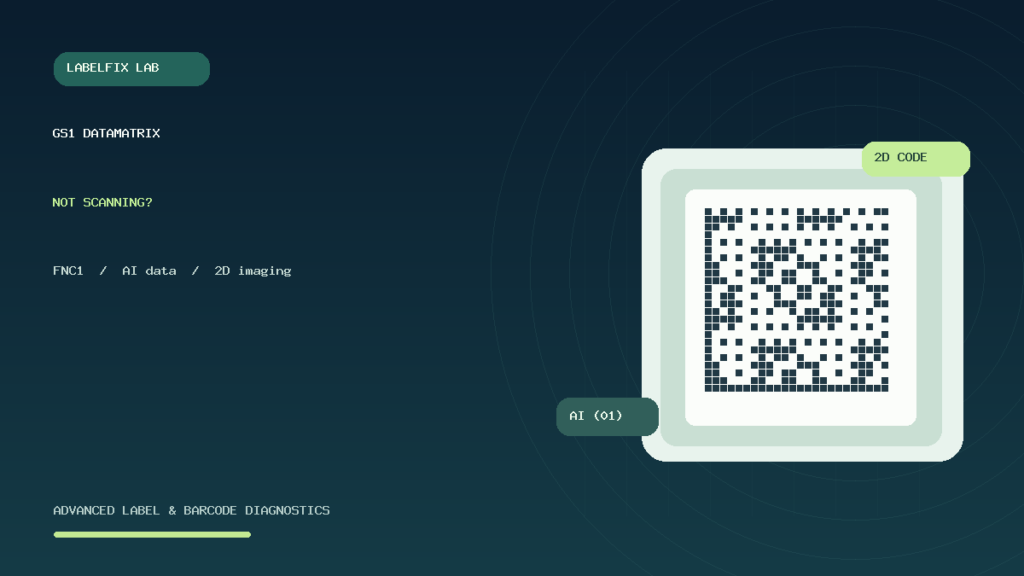
Editorial limitations: This article provides technical orientation and synthetic examples, not an official GS1 validation service, a barcode verifier report or regulatory advice. Confirm applicable GS1 specifications and recipient requirements. The featured square is illustrative artwork and is not a valid scannable product identity.
Independent general troubleshooting information for shipping labels and thermal printers. Model-specific button sequences, cleaning supplies and service instructions can differ; consult your manufacturer's official documentation. Never alter a carrier-generated barcode.