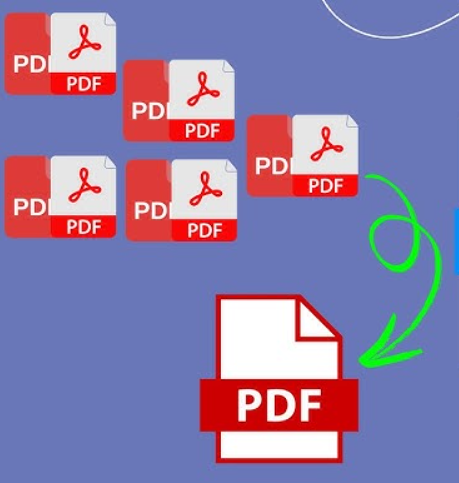
Merge PDF Online: The Ultimate Guide to Combining Documents Seamlessly
In today's digital-first world, PDF files are the standard for sharing documents across different platforms. Whether you're a student, a business professional, or a freelancer, you likely deal with multiple PDF files daily. Managing these files can become overwhelming, which is where the need to merge PDF documents comes in. In this comprehensive guide, we’ll explore why combining PDFs is essential and how you can do it effortlessly using free online tools.
Why Should You Merge PDF Files?
Combining multiple documents into a single PDF file offers several practical advantages:
•Streamlined Organization: Instead of keeping track of ten separate reports, you can merge them into one cohesive document. This makes it much easier to archive and retrieve information later.
•Professional Presentation: When sending documents to clients or employers, providing a single, well-organized PDF is far more professional than sending a dozen individual attachments.
•Simplified Sharing: Large email attachments can be a hassle. By merging your PDFs, you create a single file that is easier to upload, download, and share via email or cloud storage.
•Better Document Management: For legal contracts, academic research, or project portfolios, having all related pages in one file ensures that no critical information is lost or misplaced.
Benefits of Using an Online PDF Merger
Using a web-based tool like URL-Cut to combine your files offers unique benefits that desktop software often lacks:
•100% Free and Accessible: Most online tools are free to use and don't require expensive subscriptions. You can access them from any device—Windows, Mac, Linux, or even your smartphone.
•No Installation Required: Save your computer's storage space. There’s no need to download or install heavy software; everything happens right in your browser.
•High-Speed Processing: Modern online mergers use powerful servers to combine your files in seconds, regardless of your local hardware's speed.
•Security and Privacy: Reputable platforms use SSL encryption to protect your data and automatically delete your files from their servers after processing, ensuring your privacy.
•User-Friendly Interface: Designed for everyone, these tools usually feature a simple drag-and-drop interface that requires zero technical expertise.
How to Merge PDFs with URL-Cut (Step-by-Step)
Combining your files is as easy as 1-2-3:
1.Visit the Tool: Navigate to the Merge PDF page on URL-Cut.
2.Upload Your Files: Click the "Upload" button or simply drag and drop your PDF files into the designated area.
3.Arrange the Order: You can drag the thumbnails to reorder the pages exactly how you want them to appear in the final document.
4.Click Merge: Hit the "Merge PDF" button to start the process.
5.Download: Once finished, click the download button to save your newly combined PDF to your device.
Conclusion
Merging PDF files is a simple yet powerful way to stay organized and professional. With free online tools like URL-Cut, you can combine your documents in seconds without any cost or hassle. Start streamlining your workflow today by merging your PDFs into one perfect document!


